Wednesday, February 27, 2013

Walk-Ins

craigsenglish.com
Today a student walks into my class with his friend who is in the class. The new student proceeds to open a laptop and start to log in. It turns out his mom and guidance changed his elective, without telling me. OH?

Whether there is a study taking place for not, we've gone too far in the lessons to consider the possibility of catching up at this point. The guidance counselor should have investigated before making such a change. Some students who have been in the class all along are averaging Cs. It's a challenging, fast-moving research course. I hate being the bad guy when it is obvious that his friend (the one he came into class with) had told him how cool the class is and what we're doing. It sounded more appealing that the elective he is currently taking. The counselor gave me the parent's email so I explain.

UPDATE:  Parent left an voicemail and is clearly upset. She 'has serious questions about my email' and will also be meeting with the counselor and principal. Again, I should have been asked and no, in my experience he will not be able to catch up, the semester is half over.

Tuesday, February 26, 2013

Another man down...

Another student in the study will not be completing the semester -- his family is moving to Florida at the end of April. As it is, he is missing this week's of lessons because they have gone to shop for housing and a new school. I"ll probably have him complete his post-surveys before he leaves and mark them as early. Since he is a newbie to the course, he won't have had the previous experience but he will be able to make judgments about the difference in using Chrome with the old laptops and the new ChromeBooks.

Monday, February 25, 2013

Heat-Driven Madness

One of my offices was 85 degrees this morning, making the laptops for the first two periods of class ill-tempered. One student in particular did absolutely nothing for the whole time except try to get his equipment to work. What a waste of time and learning potential! We sat the laptops on top of dominoes to get some air movement, but it was clear the warmth of the room was impacting the technology because the usual locking and wireless-loss that happens on a day-to-day basis was accelerated and in some cases accented with additional woes.

blog.2shopper.com

Friday, February 22, 2013

Blogging and Being Blogged

Today was the second Blog Check for the students blogs. Last week the checks revealed that many of the newbie students had spent too much time playing with the complexities of designing a blog instead of posting the lessons and connections of the lessons to the project at hand. This week, for some unexplained reason, they spent more time redesigning their blogs than writing their posts connecting the lessons to projects. When the grade were handed out this morning.....Oops! Deer in the headlights....

arthurmcarthurs.blogspot.com

The afflicted were the students new to the course. The repeat students played with their design the first week or so, then settled into working on the post to tie the lessons to what was happening with their topic. The newbies have gotten caught up in the bright lights of technology. MY lesson?  Prepare the students ahead of time to look at the rubric, compare what they have done with what is expected, and perhaps show examples of good and not-so-good blogs.  I have my own blog for my project [I do a project every semester along with the students so they can see research happening] but not many took advantage of it as a template for what I expected. There's another lesson in that, I just haven't figured it out yet.

Thursday, February 21, 2013

A Clarity Footnote

blog.microsecommerce.com
Brainstorm in action!

What if we do a mid-program survey once the kiddos have had the ChromeBooks for a week. THEN, the experience of the old technology will be fresh for all the students, not just those who have taken the class before. The repeat students will of course have extra depth because of their experience with the handwritten journals and note cards. The students new to the course will have knowledge about how their processes worked on the older, slower equipment compared to the new, faster equipment.

So, actually, lemons and lemonade and all's going to work out better in the end!

Saturday, February 16, 2013

Clarity in a Nutshell

A 1 hour+  Clarity meeting in a nutshell:

The IT Director had not known there was a study, or a grant, or Informed Consent letters signed by parents and  students. He said the order for the ChromeBooks was place Thursday and that they should arrive in 2 weeks. There will be no student YouTube or AudioPlayer access (my current biggest concern because of the tutorials).

Since last fall, his IT minion had been leading me into thinking I would have this app or that app to accomplish high-level digital learning with ChromeBooks when the grant came through. He told me 3 weeks ago the Chromebooks were back-ordered and wouldn't be in until March. He sat silent through most of the meeting.  When he did speak up toward the end, it was to expound on the wonderful-ness of the Teacher Dashboard component and what it can do.  There was no mention if this came with the ChromeBooks or it was (as in the EasyBib APA format issue) a purchased add-on considered for the future. There was commitment for Teacher Dashboard training when the CBs DO arrive in spite of pointed questioning.

Basically, I have what I have and should make do with what I have, no matter how long to takes to get newer equipment. Luckily, I am inventive and now that I know where things stand I can begin to prepare successful lessons using the free digital tools available.


Shenandoah Visits

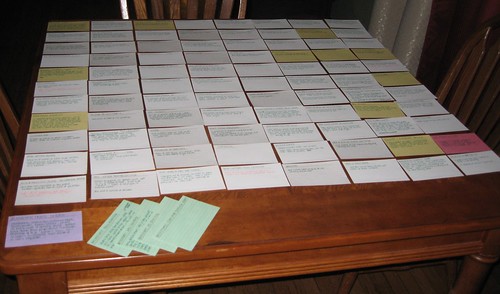
We had a visitor today! The students were excited to show their journals and notecards from last semester. Pictures of the artifacts were taken and opinions were shared. The professor and I discussed the wisdom of doing interviews with the students at the end of the semester instead of relying only upon the post-study surveys.

www.iris.co.uk
www.copyblogger.com
 Also, it occurred to me that, in some off-kilter way, it may be a good thing the ChromeBooks have not arrived yet. When they DO arrive, the students not only will have had the experience of trying some digital tools to do their research and documentation (a contrast from the handwritten documentation from previous semesters), they will have the contrast of going from the older technology to the newer one. Using Google Docs is one thing on our old laptops, but to then move to using Google Docs with SPEED...where they can open the lid and the device is up and running within seconds instead of a dozen of minutes...will be an amazing realization.


Thursday, February 14, 2013

Clarity

It is profoundly ironic that today is the day a face to face, heart to heart meeting was announced for tomorrow -- today being St. Valentine's Day and all. What inspired such action?

Today, the students were sent to my blog to see how my semester project is evolving. I use my blog as a template to model a research project in the making. The demonstration was to be how to embed links into text, and specifically how to link sources to the point a person is making in writing. In this case I was explaining how my project has evolved from gourds and papercutting to gourd books and, now, gourds and musical stories. I found a ukelele site with music and had embedded a link to the song Follow the Drinking Gourd, and the Audio Player file that went with it. The students could see how telling my story can be communicated without including every single word, but embedding links for illustrative purposes.

Like YouTube, the students are blocked from accessing it, or any of the songs at the site. My demonstration was for naught. I emailed my IT specialists at both schools and copied my Gifted coordinator asking for help and guidance since now we are a month into the class and I'm having to re-work lessons from the original idea -- at this point, having the students get access to online sources would be helpful. All I am told is that there is discussion about getting an educational YouTube or some version of a safer YouTube, but there doesn't seem to be any urgency.

msraspberryinc.om
My coordinator sent out a strong message to a handful of people at the school board and now there is a call to have a face to face and heart to heart meeting where everything can be put on the table for clarity. What does that mean in corporate-speak? One message clearly suggested that one person did not know there was an urgency to this issue. My, myMYmymy.

 But, tomorrow between 1 and 3pm we will get some clarity.


Wednesday, February 13, 2013

Notes & Citation Work-Around

We don't have the ChromeBooks yet, or permissions to use the EasyBib, Jing, Diigo, or YouTube apps that were supposed to be part of the program.  Yet, we start the Packet 3 -- Making Notes lessons tomorrow so since the point is to do research using digital tools I am making a work-around.

What I've done is prepare another way of doing notes without using index cards. A Google Doc spreadsheet, along with CitationMachine, can be utilized to align the notes with the source. Sources and notes not as legitimate as others can be highlighted.

sarahockler.com
Initially, the student would go to their Drive, click on Create to choose the Spreadsheet option. When it opens it is titled. CitationMachine page is opened for ready use as well. As the student finds sources that look productive, they use the citing page/program to capture the source citation and copy it along with a code into the A column; the in-text citation is shown as well. Then, information from that source can be paraphrased and coded to the A column code to mimic what happens when using the Index Card System: the notes and sources are coded to each other.

Two students who have taken this before, and have used the Index Card method, agree this is much better and are excited to start using it this week.

Tuesday, February 12, 2013

Adjusting Roster of Participants

blog.turbotax.intuit.com
Casualty, but providing valuable knowledge for the overall program.

Friday afternoon the Spanish teacher came to me visibly overwhelmed with his part of the program [he was to teach Spanish through the cloud with one of his students who was a previous student of this class]. We were allowing her to use her Spanish class as her topic for the research class.

When first discussed in mid-December, this teacher was very excited and openly stated his gratitude for being considered as a part of this pilot program using Chromebooks and digital learning. At the time we looked at Voki and other options for the vocalizations, and hashed out a broad plan for her assignments and assessments, ultimately developing a tour of Spanish countries using Maps as her final project. Later, in early January, he requested my notes from that meeting since he had lost his copy [in hindsight this was the first sign I did not heed]. I thought it all looked good since the principal approved the plan, the Director of Instructional Services approved was excited by the possibilities, and the parent and student were willing....everyone was a go.

But then it was difficult to connect with the teacher again [second sign when bells should have clanged loudly]. Meeting times were difficult to arrange due to his schedule, emails were not answered, and before I knew it the semester had begun.

Initially, we spent the first week of the semester working with IT to set up the laptops we had and the students' blogs since the Chromebooks would not be in for a month or more. Blog accounts were made and the students began with their PRISMS lessons. I found out the Spanish teacher did not have a school Google domain account though he thought he did. That was arranged so he could send the first assignments. Two weeks into the semester the student finally got a study guide, a handout, and a PPT assessment which takes her two days to complete. Now she's 2 1/2 weeks behind her peers.

When the teacher came to me, he did not like how she had done the assessment digitally and wanted me to have her re-do it and save it to Word before sending it back again, clearly not understanding this program is not using Word but working with Google Docs. He had yet to look at her blog and see the assignments she had posted there along with other Spanish research beginning the Spanish tour.

I have narrowed the problem to two issues:

 1) The learning curve for the teacher organizing lessons through the Cloud was too steep at this point to match the student's needs,.
2) A side issue is that the online speaking apps intended for her case cannot run on the laptops currently used. Since it is unclear when the proper equipment will arrive, the original concept did not happen. I don't think the teacher would have been able to learn and use them in a timely manner anyway.

Since my intention and my commitment to both parent and student was that her grade would not be affected by participation in this study, she has been returned to the Spanish class. The teacher has agreed to tutor her during lunch until she is comfortable with her lessons. She will keep the blog as a Spanish diary for enrichment as she moves through the semester and works on her Spanish final project.


Monday, February 11, 2013

Students Taking Outside Classes

Another interesting aspect to this semester has been the two students who are taking this elective because they were switched out of their regular cluster US History class into a smaller and slower moving US History class where differentiation would be challenging at best.  Both students have taken PRISMS before and this looks at how digital learning can be used for effective differentiation.

Background: Both students had taken are in the gifted program and have take this research elective before. They wanted to take it again but were in a US History class scheduled for the same time because it was the gifted cluster class. With permission from the school board and their parents, the students were moved to a different US History class to open the time slot for this class. The new US History period is a small, academically slow-moving group of students. They are racecars in a garage of 4 cylinder cars.

The teacher works with the whole class for the lesson but has the two girls form their own group when group work is required. The girls have been given laptops from the my class and have built a blog to work on a semester-long theme for US History: Strong Women of War. When their work for the day is done, they go to their laptops and drives, see what I have Shared and work on connecting women to the time period being studied. They explore the politics, economy, and society rules as they apply to women at the time.


So far the girls are having a blast learning the broad concepts of US History and then the details that made life different for women from men at the time, and different for women then from women now demonstrating differentiation possibilities not only for gifted students, but for any student whether they need remedial assistance or enriched challenges.

Friday, February 8, 2013

Politics and Perspective

The decision to allow the students to view the YouTube tutorials and to finance the APA  version of EasyBib is still in the offing. I have approached my Gifted Coordinator to plead my case and she agrees with my arguments for both.  I am hoping that reminding the IT director 1) that I have permission forms signed by parents and students allowing online access to tools necessary for this class, 2) that there are only 17 students, and 3) that this is only for one semester will encourage positive action.

Next week the class begin making notes and doing the active research. Even though I am frustrated with the lesson planning, the students seem excited about their topics and learning new stuff. Yes, they are frustrated about not having the new technology they thought was going to be here by now but that passes when they visit each other's blog and return to their own to improve their posts...a subtle competition of thinking.

I have told the students the story of African classrooms where only one computer exists and the students practice 'typing' on a paper 'keyboard' taped to the back of a shoebox until their turn at the computer. We've printed out a keyboard image and taped it to the wall in both schools as a reminder of how blessed we are even though it may be challenging at times.


Wednesday, February 6, 2013

A Bright Spot

I reviewed the blogs today. An observation I can make, even at this early stage of the program, is that the students are more contemplative in their writing than they were in the handwritten journals of previous classes. For myself, being able to leave compliments and quick comments for information correction has been a revelation in time management! Students' mis-thinking is informal and nonthreatening -- and to a gifted thinker, the low risk of failure would be a plus.

Why would that be?  Typing is better than handwriting?  Peer pressure is more compelling than accomplishing an assignment? Combining blog features of color and personalization is more interesting than using a notebook?

EasyBib Done Right, or Wrong

EasyBib is a remarkable citing and writing app that targets the specific needs of research. When a collection of teachers and administrators met with the Google rep to review possibilities, this app was hawked as the researchers dream because it can move from MLA to APA, making research easier than manually citing sources.

Since my gifted program research students work at a higher level than school-age peers, and therefore use APA format, I was especially interested in the possibilities in that area. The rep explained how EasyBib allowed students to make digital notecards, evaluate sources and cite them as in-text citation on 'the card' before dragging them to an outline. I was especially struck how EasyBib led the student to rank sources for legitimacy to see how valid one source is over another.

When going to learn these techniques myself before showing the students I find MLA is free, but to use the APA option I need to purchase the Pro version of EasyBib. That decision is being haggled about at the SBO, hopefully with a decision by next week when Packet 3-Making Notes lessons are taught. Right now I am told that if Pro cannot be purchased, then I have to use MLA. So I get to use EasyBib the wrong way (for my needs) or revert to manual note making with index cards and writing implements or perhaps invent some version in between where a Google Spreadsheet can be a template for the index cards and then use Son of Citation Machine for the citing tool.


The reinvention will keep the note-making digital, still incorporate typing skills, and use a Google app (Spreadsheet) to make the citations, but it does not allow for dragging notes to an outline to build a paper and it certainly does not prioritize sources for legitimacy.

Still, one positive we discovered is that posts appear to be saved automatically as a draft when the laptops shut down without a goodbye or thank-you-mam. Many bloggists have been saved that way!

Lesson Plan Work-Arounds and YouTube

This week has been a exercise in working around the fact that the Chrome Books are not in and the laptops we are using are old and cannot support the demands we are making...not enough memory to handle the Site, and pages and blogs and so forth. Many students type and navigate so quickly that the laptops fall behind and freeze in place in order to catch up to the number of click demands that have been made. Several machine will not always log in, or stay logged in.

OK, we're not talking this old, but still.

Yet, in spite of these equipment issues, the lessons move forward. This week has been Packet 2-Questions. The students have a Shared document outlining the required posts I expect to see when I grade them next Monday. They have been taught to prepare target dates and action dates in their project planners (calendar). I have noticed that the thinking about the lessons this time around has been better, and more questions have been asked for clarity. My suspicion is that they are aware others will be looking at their work and making judgments. One repeat student (an especially shy one) has mentioned she is not fond of the fact that her blog is open to others....she liked being able to keep her journal private. Others are keeping each other on their toes, and making helpful comments.....

.....which brings me to the YouTube issue. I have posted on the class Google Site a number of email etiquette YouTubes that will show how to write comments in a professional way. Before we get too far into the semester, I would like for the students to see those so comments they leave each other are appropriate. The IT department is figuring out how to allow that since students are never allowed YouTube access within the school domain.